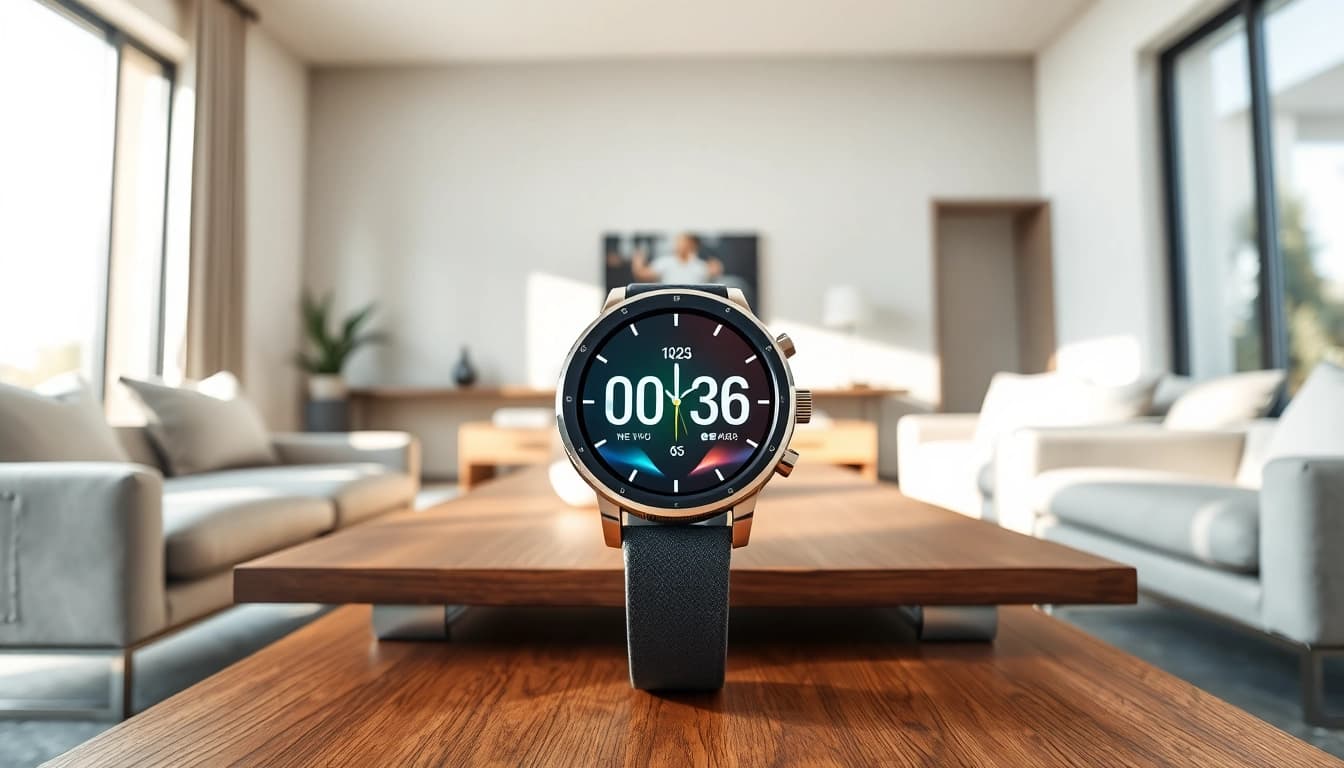
Understanding the Pulse Smart Watch Features
Display and User Interface
The Pulse Smart Watch boasts a vibrant, high-resolution display that enhances user interaction. The interface is intuitively designed, featuring touch sensitivity that allows for smooth navigation through various menu options. Users can easily swipe to access different functionalities such as fitness tracking, notifications, and health metrics, thus providing a seamless experience. Additionally, customizable watch faces add a touch of personalization, catering to different aesthetics and preferences.
Health Monitoring Capabilities
One of the standout features of the Pulse Smart Watch is its comprehensive health monitoring capabilities. It includes a heart rate monitor, which provides real-time tracking to help users maintain optimal heart health. Users can also monitor their blood oxygen saturation levels through SpO2 sensors, essential for understanding overall fitness and alerting users to potential health issues. Furthermore, sleep analysis features allow for detailed insights into sleep patterns, enabling users to make lifestyle adjustments for better rest and recovery.
Connectivity and Compatibility
The Pulse Smart Watch is designed to be compatible with both Android and iOS devices, ensuring a broad user base can integrate the watch into their daily activities. Connectivity options include Bluetooth, which facilitates quick syncing with smartphones and access to app notifications. This seamless integration means that users can receive calls, texts, and app alerts directly on their wrist, making it easier to stay connected without constantly checking their phones.
Setting Up Your Pulse Smart Watch
Initial Pairing Process
Setting up your Pulse Smart Watch is a straightforward process that starts with downloading the compatible app. Once installed, users can pair their phone with the watch through Bluetooth. After ensuring both devices are discoverable, pairing is generally completed within a few moments. Users are guided through a series of setup prompts to configure their preferences, and soon, they’ll be fully operational.
Customizing Watch Settings
Customization is essential for personalizing the user experience on the Pulse Smart Watch. Users can adjust settings such as brightness, do not disturb modes, and health notifications according to their preferences. Accessibility settings enable users of varying needs to tailor their interaction with the device. The ability to select features from a menu ensures that users can prioritize what matters most to them, enhancing the overall functionality of the watch.
Exploring App Integration
Another crucial element of the Pulse Smart Watch is its extensive app integration capability. Users can connect various fitness apps, health tracking tools, and even social media platforms to their watch. This allows for a comprehensive overview of fitness goals and achievements, as well as the ability to share progress with friends or a wider community. App integration expands the watch's utility, transforming it into not just a watch, but a personal assistant focused on wellness and connectivity.
Everyday Use: Practical Applications of Pulse Smart Watch
Fitness Tracking
The Pulse Smart Watch excels in fitness tracking, offering various modes for different exercises, such as running, cycling, and swimming. Each mode provides tailored metrics like calorie burn, distance traveled, and activity duration, helping users track their progress comprehensively. Additionally, users can set goals and receive motivating prompts to stay active throughout the day, making physical activity an enjoyable part of their daily routine.
Notifications and Reminders
Staying organized is easier with the alert system on the Pulse Smart Watch. Users can receive notifications for incoming messages, calls, and calendar events directly on their wrist. Customizable reminders help users keep track of their schedules, ensuring that important tasks aren't overlooked. This functionality assists with time management and helps maintain productivity throughout the day.
Personalization Options
The versatility of the Pulse Smart Watch allows for significant personalization options. Users can select custom watch faces that reflect their style or mood on a given day. Additionally, theme customization options enable users to change the color schemes and layout of their dashboard. This level of personalization contributes to a more engaging user experience, allowing the watch to feel unique and directly catered to individual tastes.
Advanced Features of the Pulse Smart Watch
Syncing with Other Devices
The Pulse Smart Watch can seamlessly sync with various other devices, including fitness trackers, scales, and even smart home devices. This functionality enhances the user experience by creating a cohesive ecosystem that promotes holistic health monitoring. By synchronizing data across these devices, users can gain further insights into their health and activity levels, leading to informed decisions about their well-being.
Analyzing Health Data
Data analysis is one of the advanced features of the Pulse Smart Watch that stands out. The app provides sophisticated analytics of health metrics gathered over time, allowing users to view trends in their heart rate, activity levels, and sleep patterns. This can help users identify areas for improvement and track their progress towards health goals. Advanced insights empower users to make data-driven lifestyle changes, enhancing long-term health outcomes.
Future Software Updates
As technology evolves, so does the need for regular software updates. The Pulse Smart Watch is designed to receive updates that enhance performance, introduce new features, and address any potential issues. These updates are usually delivered through the app and are crucial for maintaining the functionality and security of the device. Staying updated ensures that users have access to the latest features and improvements that optimize their experience.
Frequently Asked Questions about the Pulse Smart Watch
What are the battery life expectations?
The Pulse Smart Watch offers impressive battery life, typically lasting up to five days on a single charge, depending on usage patterns and settings.
Is the Pulse Smart Watch water-resistant?
Yes, the Pulse Smart Watch is designed with water resistance, allowing users to wear it while swimming or during heavy workouts without concern.
Can I customize watch faces?
Absolutely! The Pulse Smart Watch supports customizable watch faces, enabling users to personalize their display to fit their style and preferences.
What health metrics can I track?
Users can track various health metrics, including heart rate, blood oxygen levels, steps taken, calories burned, and sleep patterns, offering a comprehensive view of their health.
How often should I update the software?
It's recommended to check for software updates every couple of weeks to ensure you receive the latest features and security patches for optimal performance.